
How to Promote Your Vinted Shop: 10 Ways to Sell Faster in 2026

Karl Geoffrey
November 23, 2026
You photographed it, wrote the description, set a fair price and hit upload. Then... three views and one favourite in a week.
Sound familiar? Vinted is packed with millions of listings, and new items push yours down the feed every minute. The sellers who sell fast aren't just listing more. They're promoting their wardrobe, inside Vinted and outside it.
This guide covers exactly how to do that, with 10 practical steps you can start today.
Promote your Vinted shop with CoPost →
How do you promote your Vinted shop?
The short answer: make every listing easy to find inside Vinted, then bring buyers in from outside it.
- Inside Vinted: use clear photos, keyword-rich titles, honest descriptions, fair prices, quick replies, bundle discounts and Vinted's own promotion tools (Bump and Wardrobe Spotlight).
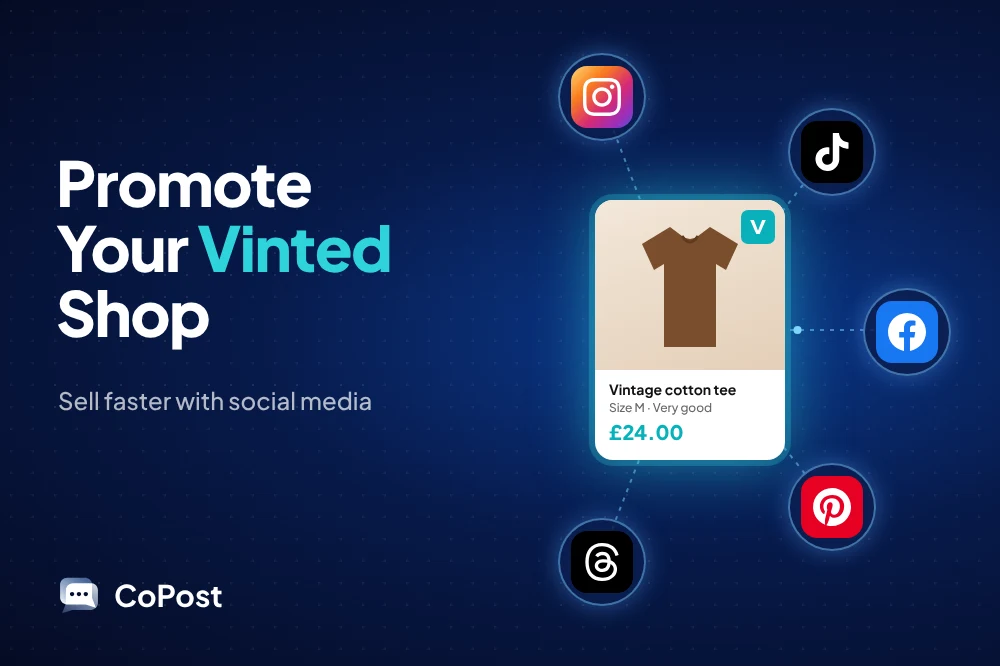
- Outside Vinted: share your listings on Instagram, TikTok, Facebook, Pinterest and Threads with a direct link to each item. Every post is a free ad for your wardrobe.
The second part is where most sellers stop, because posting every item by hand takes ages. Tools like CoPost Auto Feed solve that: paste your Vinted profile link once and every new listing is posted to your social accounts automatically.
Here's the full playbook.
Part 1: Get more views inside Vinted
1. Take photos that stop the scroll
Your first photo is your shop window. Buyers decide in a split second whether to tap.
- Shoot in natural daylight, near a window, with no flash.
- Use a plain, uncluttered background: a white wall, a clean floor or a rail.
- Show the item worn or on a hanger, not crumpled on the bed.
- Add close-ups of the label, fabric and any flaws. Honesty means fewer returns and better reviews.
2. Write titles buyers actually search for
Vinted search runs on keywords, so write titles the way buyers type. Lead with the brand, then the item type, then the key detail: colour, size, style or material.
"Nike Air Max 90 white trainers size 6" beats "Lovely shoes, barely worn" every time.
3. Fill in every field and write a useful description
Pick the right category, brand, size, condition and colour. Each one is a filter buyers use, and missing fields can hide your item from filtered searches. In the description, add measurements, fit ("runs small"), fabric and condition. Answer questions before anyone has to ask.
4. Price to sell, not to sit
Search for the same item and check what has sold recently, not just what's listed. Price slightly below similar listings if you want a quick sale, and leave a little room for offers. Buyers love to haggle.
5. Reply fast and offer bundle discounts
Quick, friendly replies build trust and turn questions into sales. Turn on bundle discounts so buyers can save by grabbing several items at once. It's one of the easiest ways to raise your average order.
6. Use Vinted's own promotion tools
Vinted offers paid boosts for sellers who want more eyes on their items:
- Bump pushes a single item higher in search and the feed for a short time.
- Wardrobe Spotlight promotes your whole wardrobe to more buyers.
Both can help, but they cost money every time and stop working the moment they end. Which brings us to the free, longer-lasting option.
7. List consistently
Active wardrobes get noticed. Adding a few items regularly keeps your shop fresh, gives buyers a reason to follow you, and gives you new content to share on social media.
Part 2: Bring buyers in from social media
Vinted's feed is crowded. Your social media followers aren't. Friends, family, local groups and fashion fans who already follow you are the easiest buyers to reach, and every post with a link sends them straight to your item.
8. Share every new listing on social media
Each platform brings a different kind of buyer:
| Platform | Why it works for Vinted sellers | What to post |
|---|---|---|
| Visual, fashion-first audience | Item photos, outfit shots, Stories with the link | |
| TikTok | Huge reach for "thrift haul" and styling videos | Try-ons, "new in" clips, packing orders |
| Local and community groups, friends and family | Item posts in groups and on your Page | |
| Buyers search for outfits and style ideas | Item photos with keyword-rich descriptions | |
| Threads | Casual, conversational reach | "Just listed" posts with the link |
Always include the direct link to the item and the price. A clear "tap to buy before it goes" works better than a vague "check out my shop".
9. Build a recognisable seller brand
Use the same name and profile photo on Vinted and your socials, so buyers recognise you. Share your best sales, five-star reviews and "sold!" moments. Social proof turns followers into buyers.
10. Automate it, so it actually happens
Here's the honest truth: sharing every listing by hand on five platforms works brilliantly for about a week. Then life happens and you stop.
That's why the sellers who stick with it automate it.
How to auto-post your Vinted listings to social media with CoPost
CoPost Auto Feed now supports Vinted, alongside Shopify, Etsy and WooCommerce. You connect your wardrobe once and CoPost does the promoting for you.
How does it work?
- In CoPost, open Auto Feed and choose Vinted.
- Paste your Vinted profile link. It looks like vinted.co.uk/member/12345, so it must include /member/ followed by your member number.
- Choose your social accounts and how you want captions written.
From then on, CoPost checks your wardrobe every hour. When you list something new, it picks up the item's title, photo, price and link and turns it into a ready-to-publish post for Instagram, Facebook, TikTok, Pinterest, Threads and your other connected accounts.
What do the posts look like?
You're in control. Use a caption template with variables, for example:
New in: {{title}}. Only {{price}}. Grab it here 👉 {{link}}
Or let CoWriter, CoPost's AI writer, create a fresh caption for every item in your brand voice, in the same language as your listing. You can add caption variations so your feed never looks repetitive, and choose whether new items post right away, jump the queue or slot into your posting schedule.
Can I promote items I've already listed?
Yes, in two ways:
- When you set up Auto Feed, CoPost can pull in the items already in your Vinted wardrobe as well as new ones, so your existing listings get promoted straight away.
- With the Bulk Creator, you can import your existing items any time (see how Bulk Creator works). Pick the ones you want to promote, let AI write the captions, and schedule a week or a month of posts in one go.
Either way, older listings that never got the attention they deserved get a second chance.
The bottom line
Promoting your Vinted shop comes down to two things: great listings and more eyes on them. Nail the photos, titles and prices inside Vinted, then share every item where your buyers already scroll.
You don't have to do the sharing by hand. Connect your Vinted wardrobe to CoPost once and every new listing turns into a social post, automatically.
Try CoPost free and connect your Vinted shop →
Frequently asked questions
What is the best way to promote a Vinted shop?
Combine strong listings with promotion outside Vinted. Use clear daylight photos, keyword-rich titles, complete item details and fair prices, then share every listing on Instagram, TikTok, Facebook, Pinterest and Threads with a direct link to the item. Automating the social posts with a tool like CoPost Auto Feed makes it easy to keep up.
Can I share my Vinted listings on Instagram and TikTok?
Yes. Every Vinted item has its own link that you can share anywhere. Post the item photo or a try-on video with the price and the link in your caption, bio or Story so followers can tap straight through to buy.
How do I automatically post my Vinted items to social media?
Connect your Vinted profile link to CoPost Auto Feed. CoPost checks your wardrobe every hour and turns each new listing into a social post with the item photo, title, price and link, written from your caption template or by AI in your brand voice.
Can CoPost promote Vinted items I have already listed?
Yes. When you first set up Auto Feed, CoPost can pull in the items already in your Vinted wardrobe as well as new listings. You can also import existing items at any time with the Bulk Creator, pick the ones to promote and schedule them in one go.
What Vinted link do I need for CoPost Auto Feed?
Use your Vinted member profile link, for example https://www.vinted.co.uk/member/12345. It must include /member/ followed by your member number. You can copy it from your profile page on Vinted.
Is it worth paying for Vinted Bump?
Bump can give an individual item a short-term visibility boost inside Vinted, which helps for items that are in demand. But it costs money each time and the effect ends when the bump does. Sharing your listings on social media is free and keeps sending buyers to your wardrobe, so many sellers use both.
How can I sell faster on Vinted?
Price competitively based on recently sold items, reply to messages quickly, offer bundle discounts, list new items regularly, and get your listings in front of more people by sharing them on social media.