
Create a month of content in minutes.
- Inline creator. Build posts in a fast grid or sheet view — no popups, no friction.
- Import from anywhere. CSV, Google Drive, media manager, or directly from your store and channels.
- AI CoBots. CoWriter generates captions and CoVinci creates visuals from product metadata, video titles, or blog summaries.
The fastest way to go from zero to a full content calendar.
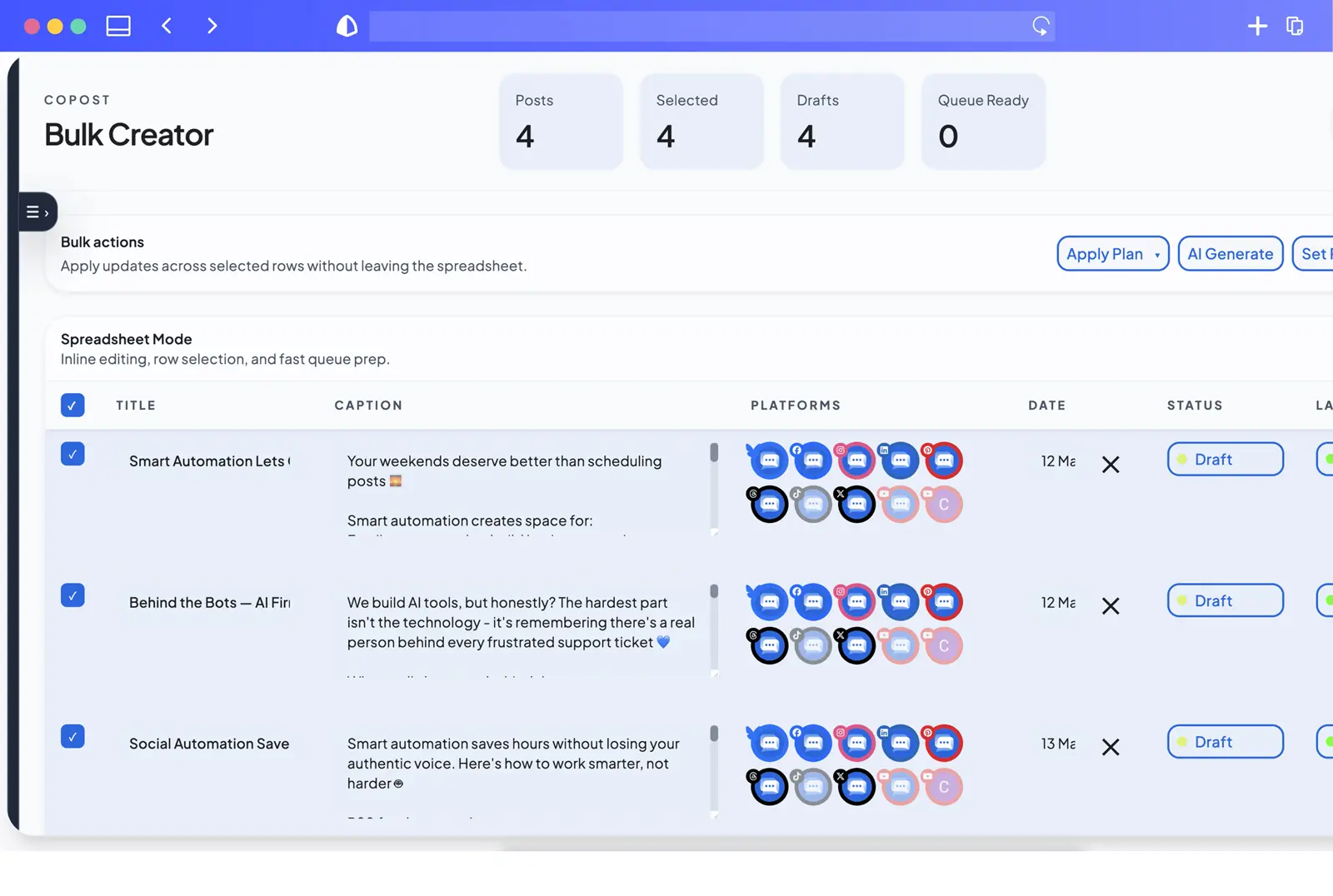
BULK CREATION
From empty calendar to fully loaded — in one session.
Content Planner
September 2024 · 12 posts scheduled
Write posts inline at lightning speed.
Switch between grid and sheet view to create dozens of posts without ever leaving the page. Add copy, attach media, pick platforms, and set dates — all in one fluid interface.
Try the creatorAutomations
1.2k runs
48 runs
312 runs
89 runs
Import from CSV, Google Drive, or your media library.
Upload a spreadsheet of post copy, pull images straight from Google Drive, or drag files from the built-in media manager. CoPost maps everything to ready-to-schedule posts.
See import optionsGreat, but let's space it out so it's less of a wall of text.
Here's your post with improved spacing for easier reading.
Connect a source and let CoWriter do the writing.
Link your Shopify store, YouTube channel, blog, or podcast and import items directly. CoPost reads the metadata — titles, descriptions, images — and uses AI to generate platform-ready captions for every post.
Import with AIYour original post
Write once, publish everywhere
Review, refine, and schedule in bulk.
Once your posts are created, review them all in one view. Edit individually or apply changes across the batch — then schedule the entire set to your calendar with a single click.
Schedule in bulk